Events
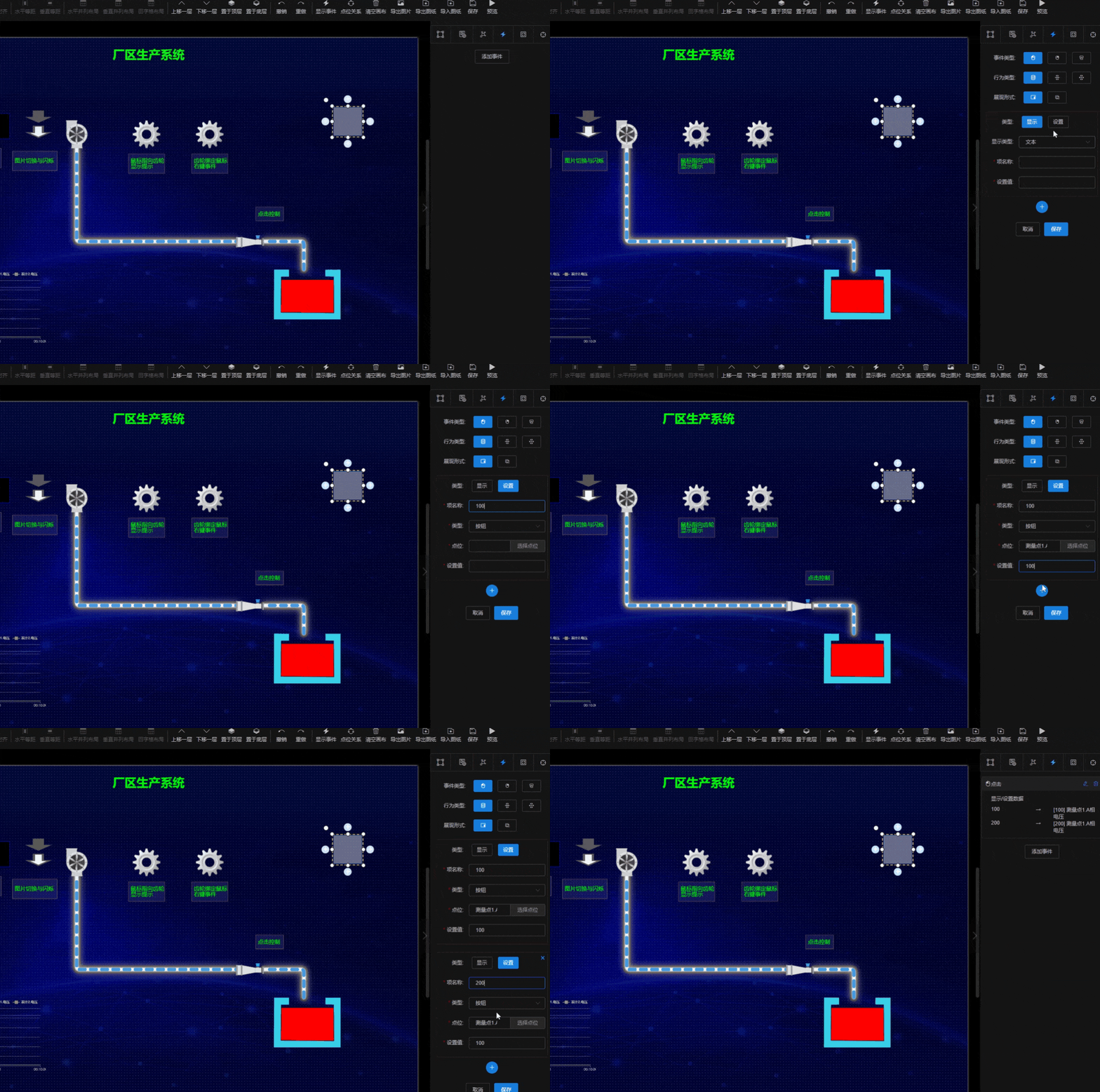
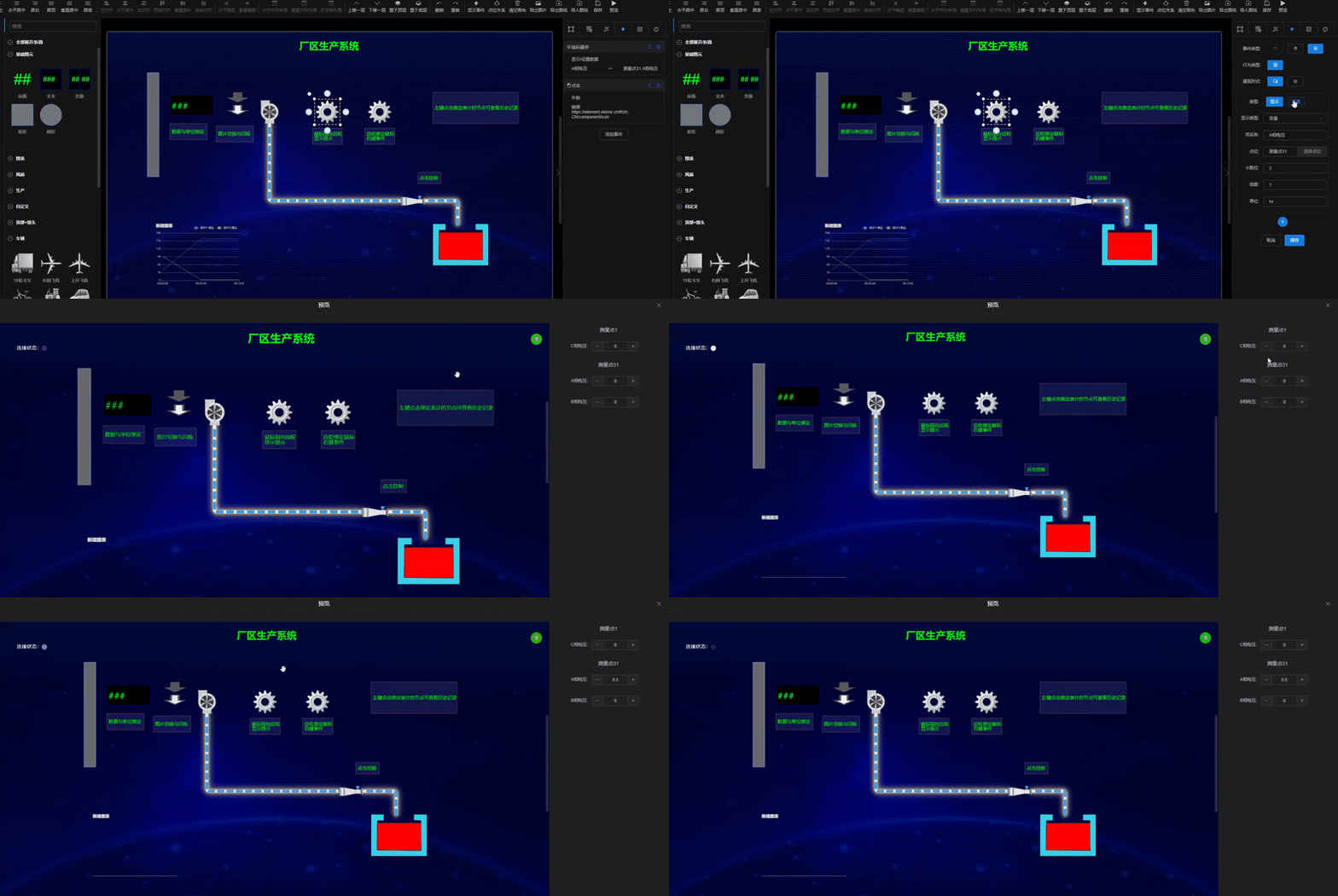
All elements support left-click, right-click, and hover events. Configuration options:
- Event Type: Left click, right click, hover
- Action Type: Show / set data, Internal link (navigate to a target screen), External link (e.g. your website URL)
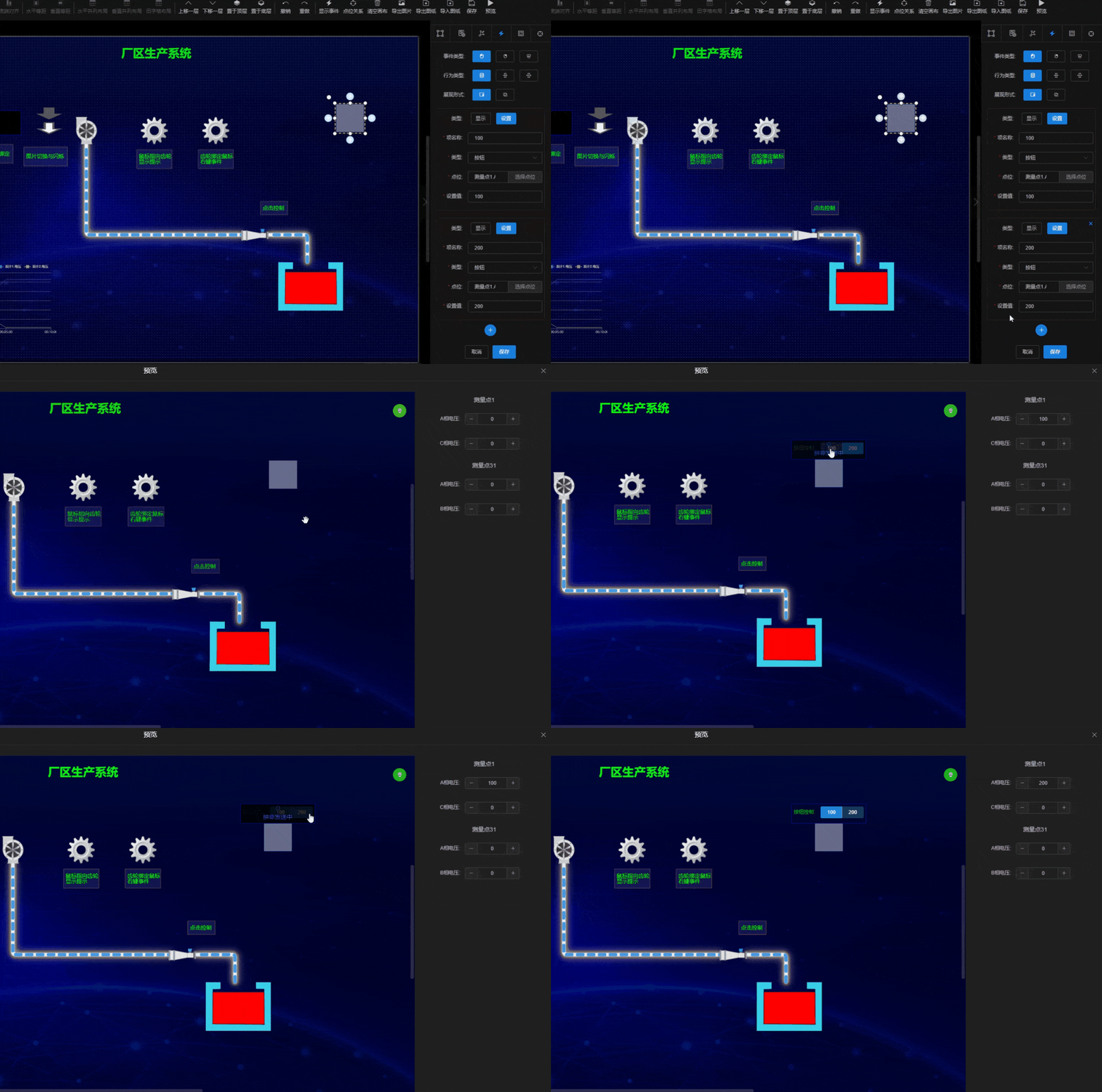
- Display Form: Tooltip, dialog
- Menu Name: Only for right-click events — distinguishes multiple right-click actions on the same element
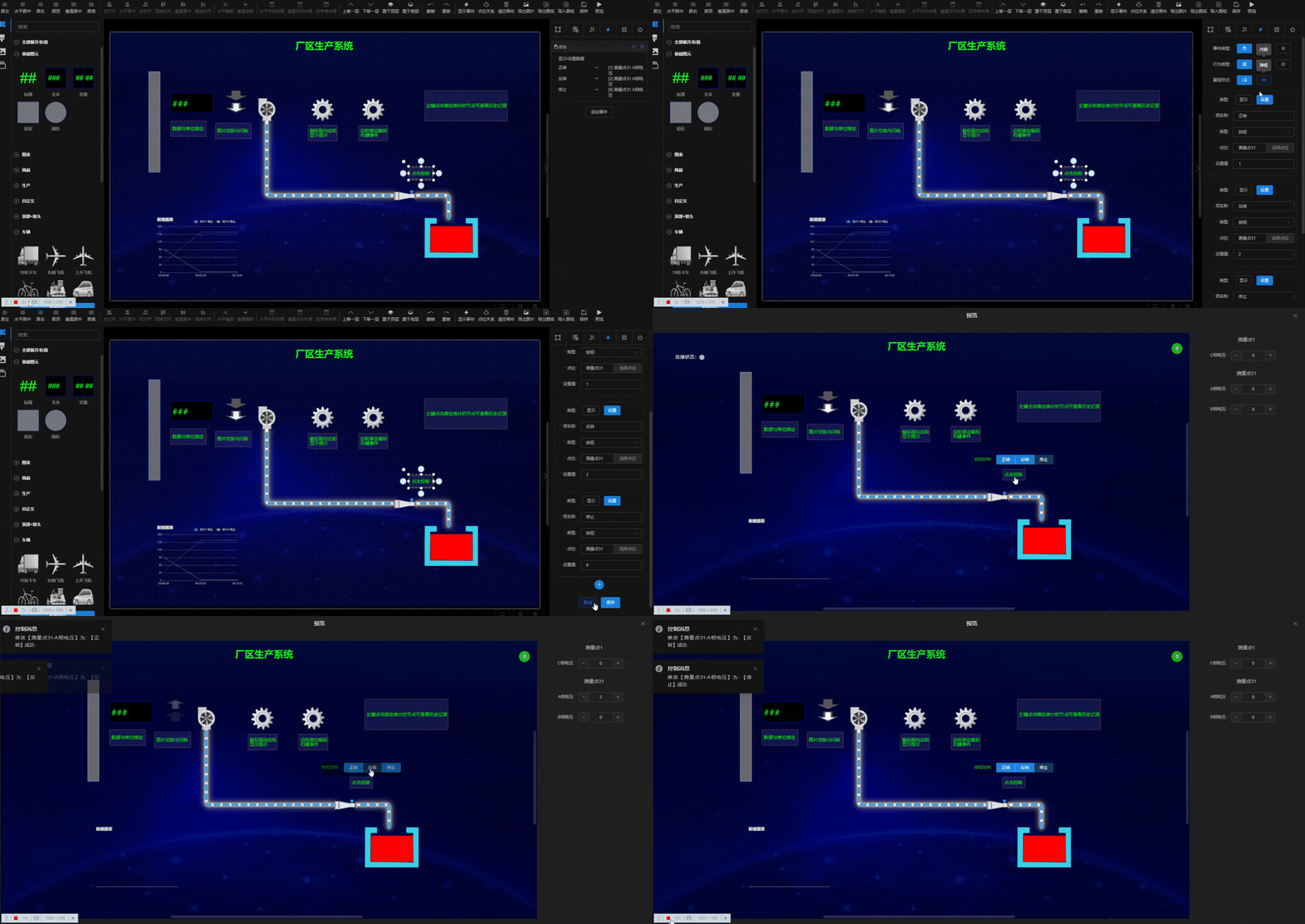
- Type: Only when action is Show / set data — Set (send data to backend) or Display (show configured tag data)
- Display Type: When type is Display — Text (static), Variable (show raw tag value), State (map values to text, e.g. 0 → Off, 1 → On)
When setting data, an additional type option: Button, Integer, Decimal, Text. Buttons send preset data on click; Integer/Decimal/Text show an input field with validation.